
Manage your three sites
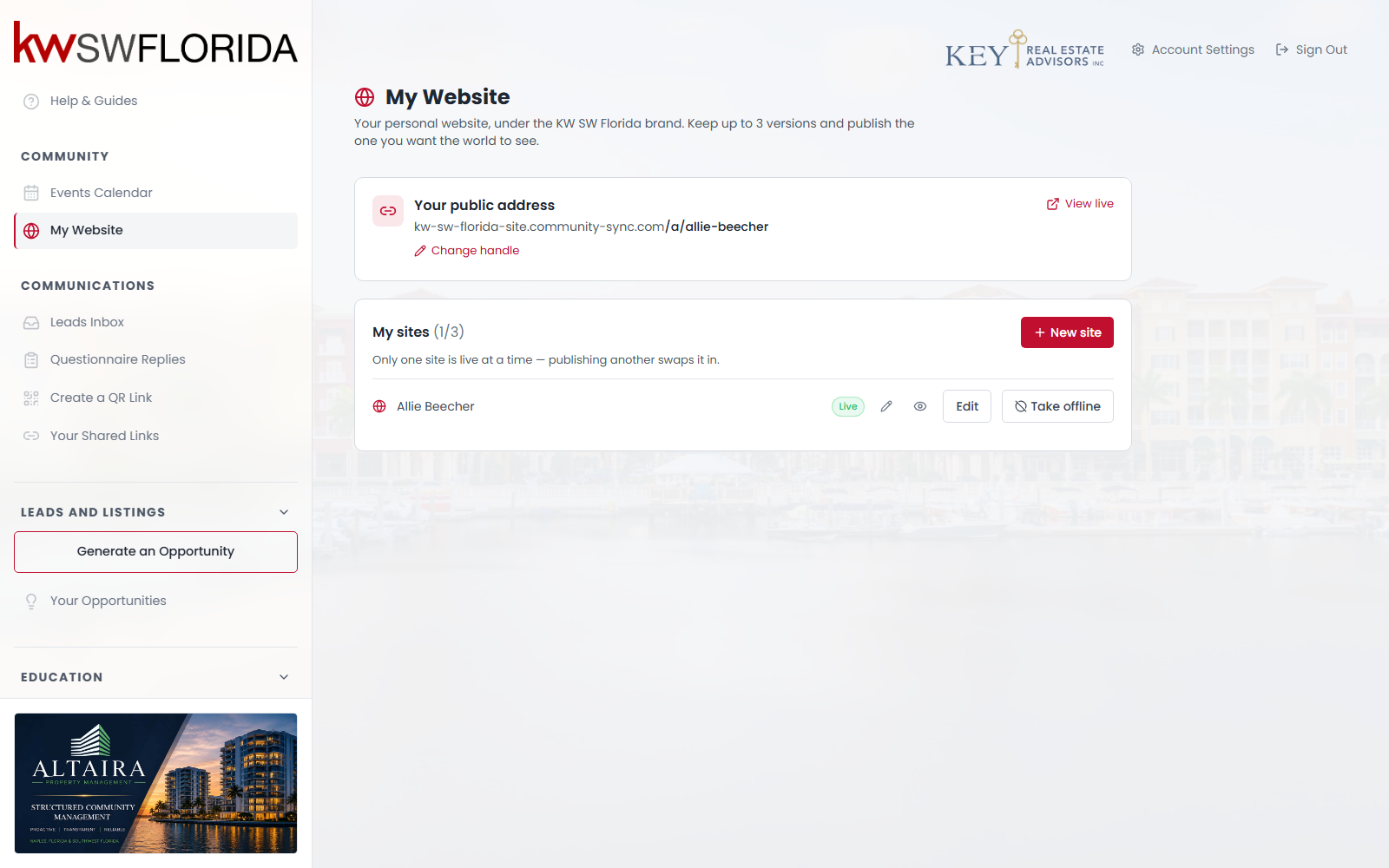
You can keep three sites at once. The counter beside My sites shows where you are — (2/3), for example. Exactly one can be public; the rest are private drafts.
What the three are for
Most people use one and stop. The others are useful for:
- Building a seasonal or campaign version while your normal site stays up.
- Trying a different design without touching what clients currently see.
- Keeping a known-good copy before a big rewrite.
Because publishing swaps instantly, you can prepare a replacement completely, then switch over in one click.
Swap which one is public
Click Publish on the draft you want. It goes live and the previous one drops to Draft in the same moment — "Only one site is live at a time — publishing another swaps it in."
Nothing is lost in a swap. The site that went offline keeps every page exactly as it was, ready to publish again.
Rename a site
Click the pencil next to its name. This is only your own label in this list — visitors never see it, and it has no effect on your web address or on anything on the page.
Preview any of them
The eye icon opens a private preview of that site's current draft, live or not. It always shows the latest version and needs no sign-in, so it's an easy way to get a second opinion before publishing.
You can't delete a site — plan around it
There's no delete button, and no way to free a slot yourself. Once you're at 3/3 the New site button disappears, with no message explaining why.
So:
- Don't create a site to "have a look at" a starter — use the Live demo link on the starter card instead.
- Reuse a draft you already have rather than cloning a fresh one.
- If you're stuck at three and need a clean slate, your community admin can clear one for you.
Taking everything offline
Take offline on your live site removes your public presence entirely — the address stops answering. Your sites all stay intact as drafts.
If your community switches the My Website feature off while you have a live site, the page disappears from your sidebar but your site stays public, and you lose the button that would have taken it down. If you need it gone in that situation, ask your community admin.