

The reason they keep the app open.
Education, checklists, vetted document templates, the software directory and the training calendar your office already runs — all in one branded portal, behind a home dashboard you compose yourself.
Your curriculum, your calendar, your words
 Cynthia
The things that normally live in five scattered tools.
Every item here is something the office already provides badly — in email threads, shared drives and a calendar tool nobody opens.
The Playbook
A structured video library in folders you define, tagged and filterable, fed from Vimeo, YouTube or Drive, with detail pages that link out to the related resources.
Checklists and guides
Downloadable operational steps for the processes with a dozen easy-to-miss stages, tagged and linkable from any training video.
Vetted document templates
Contracts, agreements and disclosures ready to use, so nobody sources legal paperwork off the internet at speed.
The calendar you already run
Connect your existing CalendarWiz, Google or Outlook feed. Events, recurrences and categories import hourly, and every member gets a personal, revocable link that puts the schedule on their phone.
Rental essentials lists
A priced catalog members turn into named, shareable lists for clients — a value-add service rather than a shrug at "what do I need to buy?".
A composable home dashboard
The portal’s landing grid is yours to arrange — cards, icons, copy, links and coming-soon teasers, with drag-ordering and a live preview.
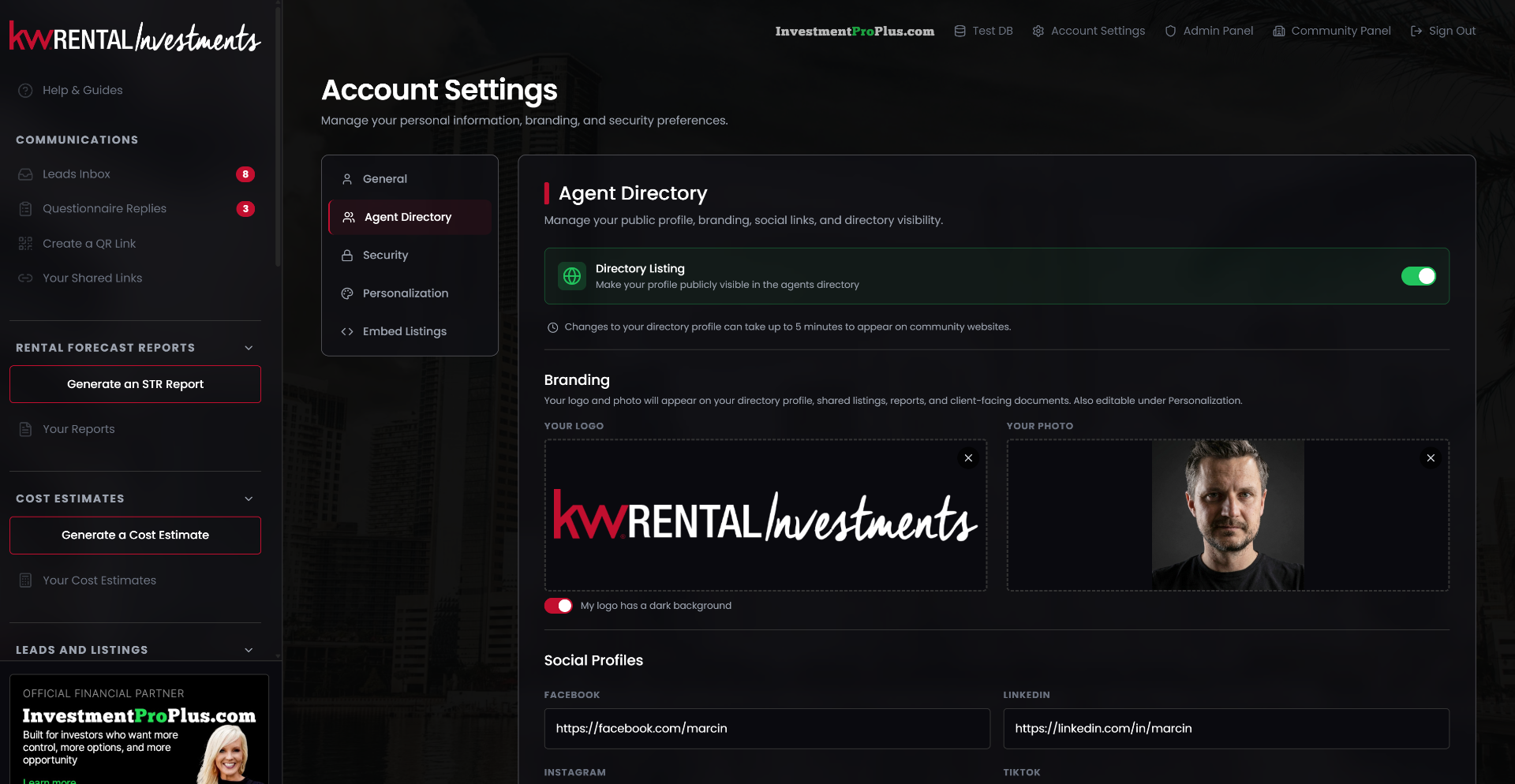
One branded place, not five bookmarks.
For a new agent this is the onboarding path the office always meant to offer — the training, the paperwork, the schedule, in one place with your name on it.
For a tenured agent it is the reason the tab stays open all day. And that is the retention case stated plainly: because the technology is wired into their daily business, leaving the office means leaving the tools.
Brand consistency comes along for free — every one of these surfaces wears your branding, not ours.
Set up once, then it is just where things live.
-
1
Point it at your calendar
Paste the ICS feed from the tool your office already uses. Nothing is re-entered, and it re-syncs every hour on its own.
-
2
Load your curriculum
Create your own folders and add videos, then tag the checklists, documents and questionnaires that belong with each one.
-
3
Compose the dashboard
Arrange the portal’s landing cards so members see what your office actually wants them to do first.
-
4
Members just use it
They subscribe the calendar to their phone once, and the training schedule stays current there forever.
The half of the platform the public never sees.
An agent who lives in the portal for training and the calendar is already there when it is time to publish a listing.
Questions about the member hub
Do we have to move off our current calendar?
No — and that is the point. Connect the ICS feed from CalendarWiz, Google or Outlook and it imports hourly. Your calendar stays the source of truth.
Is the content yours or ours?
Yours. You define the folders, load your own videos and resources, and write the landing copy. The platform supplies the structure, not the curriculum.
What happens when someone leaves the community?
Access follows membership, including their personal calendar feed, which stops working automatically. Nothing has to be remembered or revoked by hand.
Can different offices see different content?
Yes. Tag content to specific market centres and members see the union of theirs; anything untagged shows everywhere.
See the portal with your calendar in it.
Bring the ICS link from whatever calendar tool your office runs and we will connect it live on the call, so you can see your real schedule inside a branded portal. Leave your details and we will set it up.



