

Share the listing. Capture the lead. Skip the five follow-ups.
Every listing you share opens as a page with your portrait, your name and a form that reaches you — on the link you send, on the community website, on your own site, on any page you embed it in.
You set it up yourself — in the agent portal or the website editor
 Cynthia
One listing. Every place a buyer might find it.
You already have the listing. This puts your face on it, a form under it, and a copy of it everywhere someone might be looking.
A link instead of a PDF
Press Share on any of your listings and send a page, not an attachment: photos, numbers, your portrait and logo on top, an inquiry form that reaches you. Turn it into a QR code for the sign or the open house.
Capture on the community website
Your listings sit in the community’s searchable directory, each with its own page and its own inquiry form. A visitor asks about your property — the lead is yours.
Capture on sites you already run
Paste one snippet into WordPress, Squarespace or any page and your listings appear there with the same form. No developer, no migration.
Capture on your own agent site
Clone a starter the community designed, and your listings and lead form are on it from the first minute — under the community’s domain, at your own handle.
Questionnaires that keep them talking
Reply to an inquiry with a questionnaire — goals, budget, timeline, must-haves — instead of "any questions?". Answers land in your inbox, and the lead stays engaged while you prepare.
One inbox, your name on every lead
Wherever the inquiry came from, it lands with the agent who owns the listing: tagged with the property, emailed to you, with an unread count so nothing sits unseen.
A page, not an attachment.
A PDF says what the property is. It says nothing about who you are, and it gives the reader nothing to do except close it.
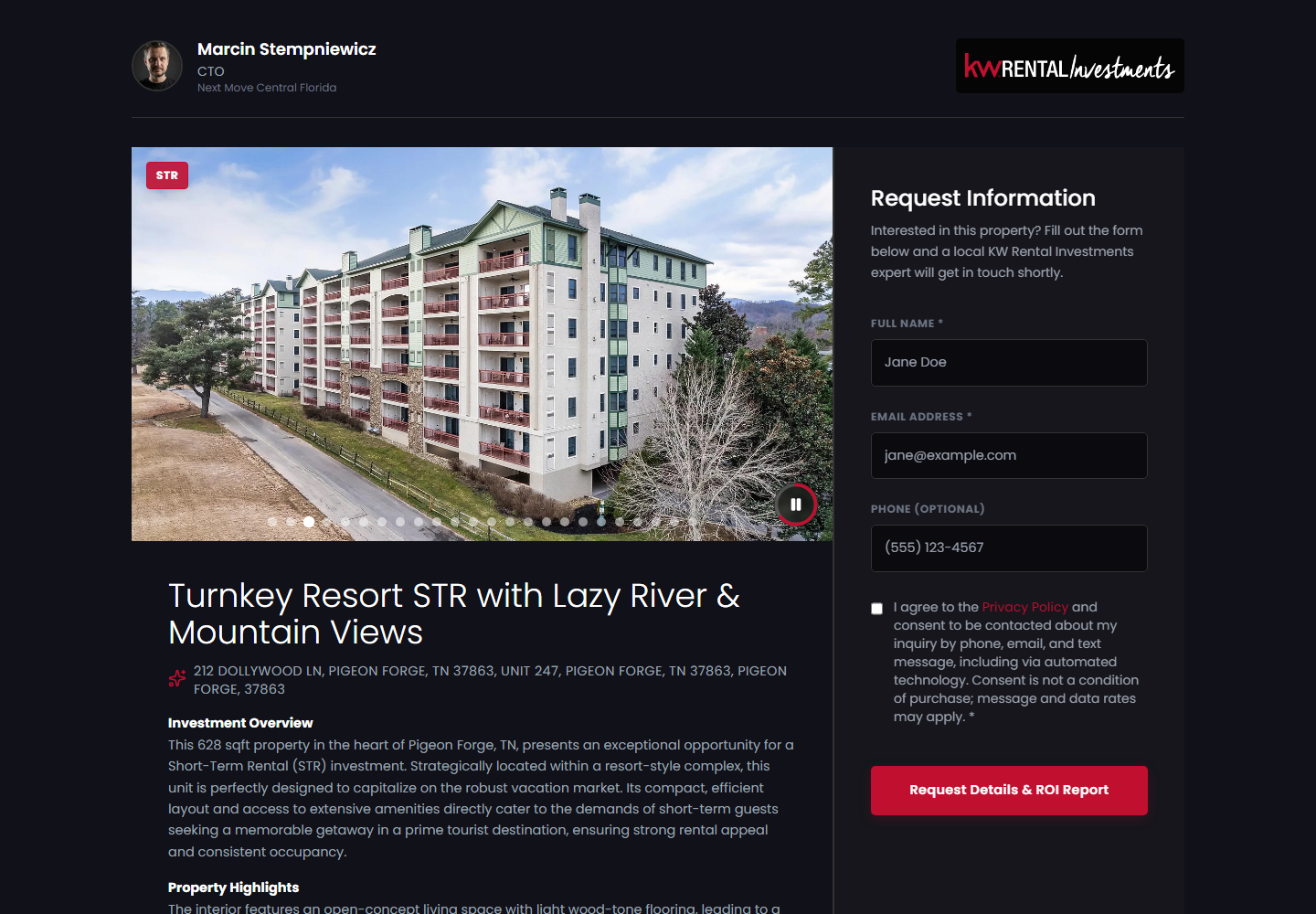
A shared listing opens as a page: your portrait, name and brand at the top, the photos and the numbers below, and an inquiry form that stays on screen while they scroll.
You can see whether the link was opened. When they’re interested, they tell you — on the page — instead of you asking five times.
From "can you send me the details?" to a lead in your inbox.
-
1
Put your face on it
Portrait, title, contact details and logo — once, in Account Settings. From then on every listing you share carries them.
-
2
Share the listing
Press Share on any listing and you get a link, or a QR code. Text it, email it, post it, print it on the sign.
-
3
They open a page and ask
Photos, numbers, your name at the top, a form that follows them down the page. Interested means they fill it in — and it lands in your inbox tagged with the property.
-
4
Follow up once, with a questionnaire
Send a questionnaire link back — budget, timeline, must-haves. The next conversation starts with their answers already in hand.

Every other product ends here.
Listings, reels, websites and QR codes exist to make someone ask. When they do, the inquiry lands here — with your name on it.
Questions about leads
Where do the leads actually go?
To the agent who owns the listing: an email, plus the Leads inbox in the portal with the property attached and an unread count. Community staff also get a shared team view of every lead the community generates.
Do I need a developer to put this on my own website?
No. The Embed tab in your account settings gives you a snippet to paste into WordPress, Squarespace or any page. Your listings appear there with the same inquiry form, and the leads come to you.
Who builds the questionnaires?
The community publishes them — any mix of text fields, dropdowns, checkboxes and file uploads. You pick one and share it by link, or the website carries it as a call to action. Answers arrive in a dedicated inbox with unread tracking.
We already use a CRM.
Keep it. This is the capture layer: it makes sure the inquiry exists, reaches the right agent and is visible to the team. Nurture wherever you nurture today.
What stops spam?
Rate limits, duplicate detection and a honeypot on every public form, so a bot flood never buries a real buyer.
Send yourself a listing.
On the call we share a listing to your phone, you submit the inquiry, and you watch it arrive in the agent’s inbox — then we send the questionnaire back. Leave your details and we’ll set it up.



