
Create your site from a starter
You build your site by copying a starter template your community has prepared. There's no blank-page option — and you won't want one, because a starter arrives as a complete, designed site you only have to reword.
Before you start: [claim your web address](claim-your-web-address). Until you do, the New site button is disabled and the page reads "Claim your public address above before creating a site."
Create it
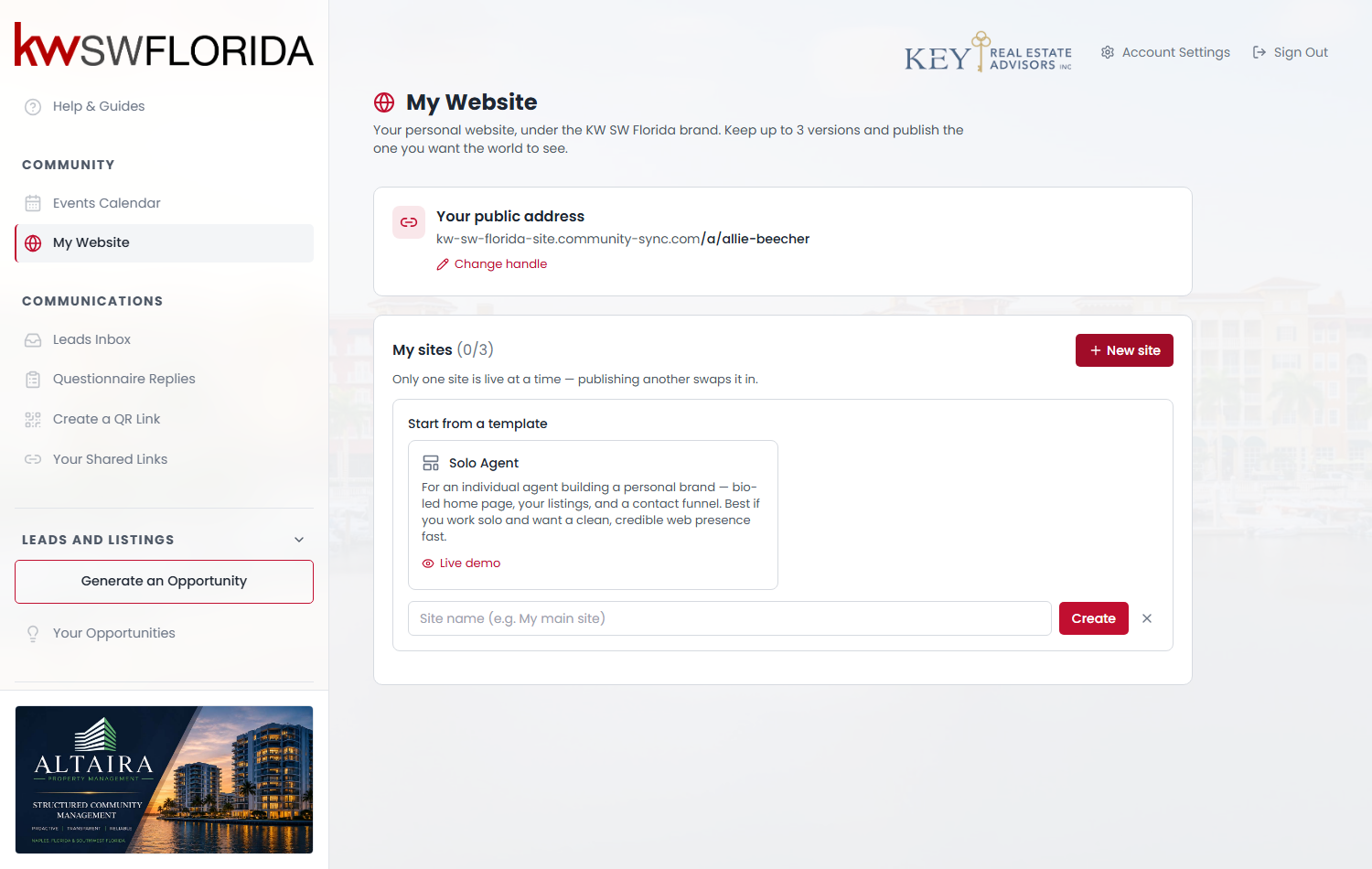
- Go to My Website.
- Click + New site.
- Pick a starter. Each card shows its name, a short "who this is for" note, and a Live demo link so you can look before choosing.
- Give your copy a name. This is just your own label for it — visitors never see it, so "Main site" or "Autumn version" is fine.
- Click Create.
Your copy appears in the My sites list as a Draft.
What you get in the copy
Every page, section, image and setting from the starter — as your own independent copy. Editing it never touches the starter, and the community changing the starter later never touches your site.
Your own details are filled in automatically where the starter left space for them: your name, your title and your company appear in the header, the footer and the copyright line. Check them anyway — if your profile is incomplete, those spots will read oddly. You can fix your details in Account Settings, but a site already created keeps whatever was there at the time, so edit the site directly.
Three sites, and why the third one matters
You can have three sites at once — the counter next to My sites shows where you are, like (1/3). Only one is ever public.
Three is a firm limit, and you can't delete a site yourself. Once you're at 3/3, the New site button simply disappears and there's no way to free a slot without asking your community admin. So treat the third one as deliberate rather than as a scratch copy — if you want to try something, [edit a draft you already have](manage-your-three-sites) instead of cloning another.
If there are no starters
If your community hasn't prepared any starters, there's nothing to copy and the New site button won't appear at all. The page will say your community hasn't published any starter templates yet. This isn't something you can work around — ask your community admin to set one up.
Next
Your new site is a draft and isn't public yet. Next: [edit it](edit-your-site), then [publish it](publish-your-site).