
Set your website's favicon (browser-tab icon)
Your favicon is the tiny icon that appears in a browser tab, in bookmarks, and in history lists next to your site's name. Setting it to your own logo mark makes your community site look finished and easy to find when someone has several tabs open. This is an owner/admin task, edited in the orange platform panel.
Where the favicon lives
The favicon is set on your Website Overview page, not inside the full-screen editor. The Overview page is where your site's status, public URL, redirects, and backups live. If you're on the 3-pane builder canvas, exit back to the Overview first. For a map of the two surfaces, see Website builder overview.
Upload your favicon
- Open your Website Overview page in the platform panel.
- Find the Favicon card.
- Click Upload favicon and choose your image file.
- PNG, ICO, and SVG files are all accepted.
- A square image works best — for example 32x32 or 48x48 pixels. A non-square image may look cropped or squished in the tab.
- Check the preview tile to confirm the icon looks right at small size.
- Save your change.
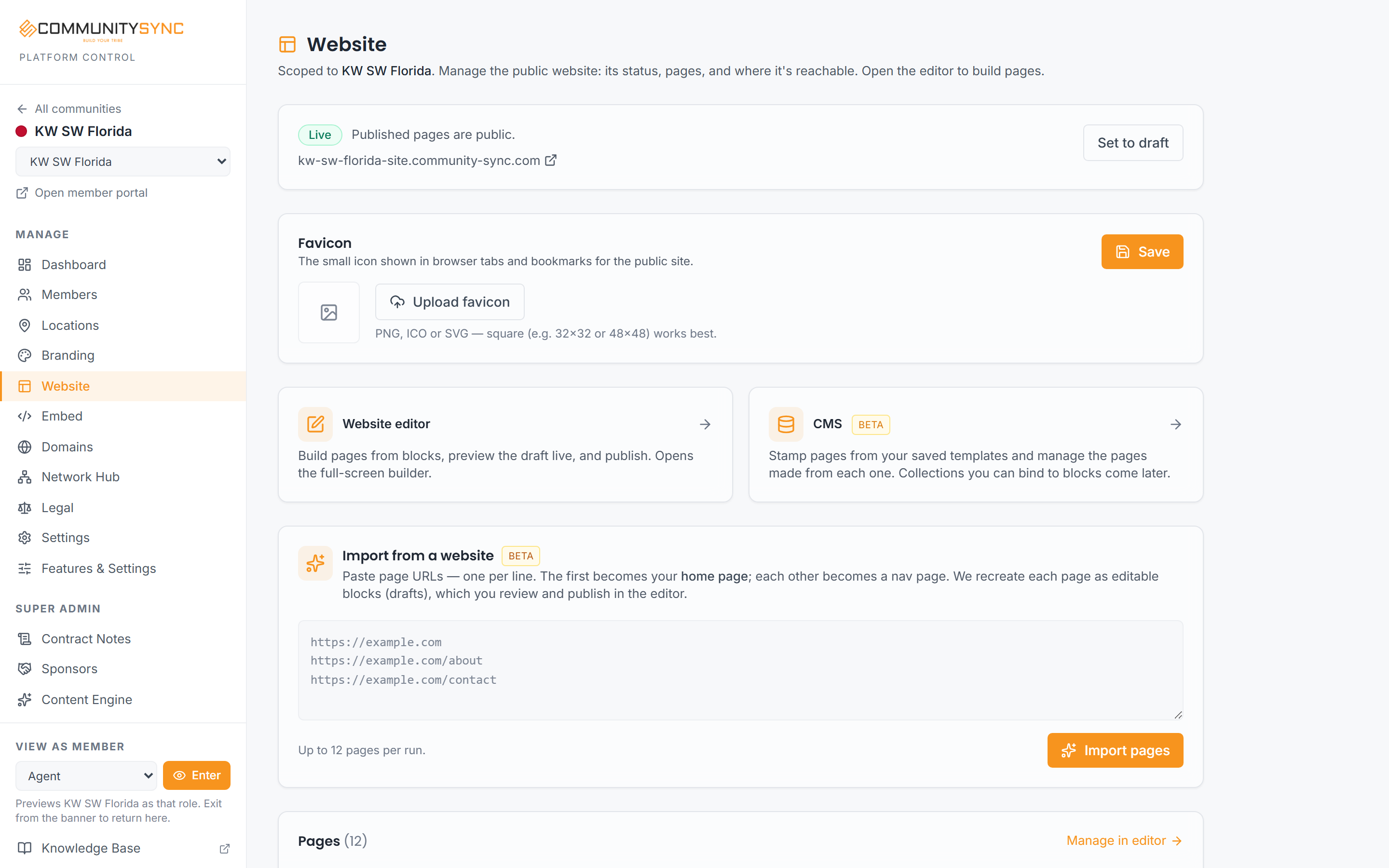
Once saved, the favicon applies to your public community site at your `-site` address.
Pick an icon that reads at small size
A favicon is displayed very small, so fine detail disappears. A simple logo mark, monogram, or single shape reads far better than a full wordmark. If your main logo has a lot of text, use just the symbol or first letter for the favicon.
Troubleshooting
My new favicon isn't showing in my browser tab
Browsers cache favicons aggressively, so an old icon can linger even after you've saved a new one. Try a hard refresh of the page, close and reopen the tab, or check the site in a private/incognito window. It often clears on its own after a short while.
I can't find the Favicon card in the editor
The favicon isn't set inside the full-screen editor — it's on the Website Overview page. Leave the builder canvas and go back to the Overview, then look for the Favicon card.
My icon looks cropped or stretched
Favicons are square. Upload a square image (like 32x32 or 48x48) so it isn't cropped or distorted. If your source image is wide, trim it to a square version — usually just the logo symbol — before uploading.