
Create a starter site for your agents
Creating a starter site takes a few seconds — you give it a name, and you get a fresh single-page site ready to build out. Everything after that is design work in the editor. This guide covers the create step and the one field agents will see; for what to actually put inside, see Design a great agent starter site.
Before you begin
- You need to be a community owner or admin. Managers and agents can't create starters.
- Building a starter doesn't require the Agent Websites feature to be on — you can prepare starters in advance. But agents can't clone them until a platform operator turns that feature on for your community. See Agent starter sites, explained.
Create a starter
- In the orange platform panel, open your community's Website section.
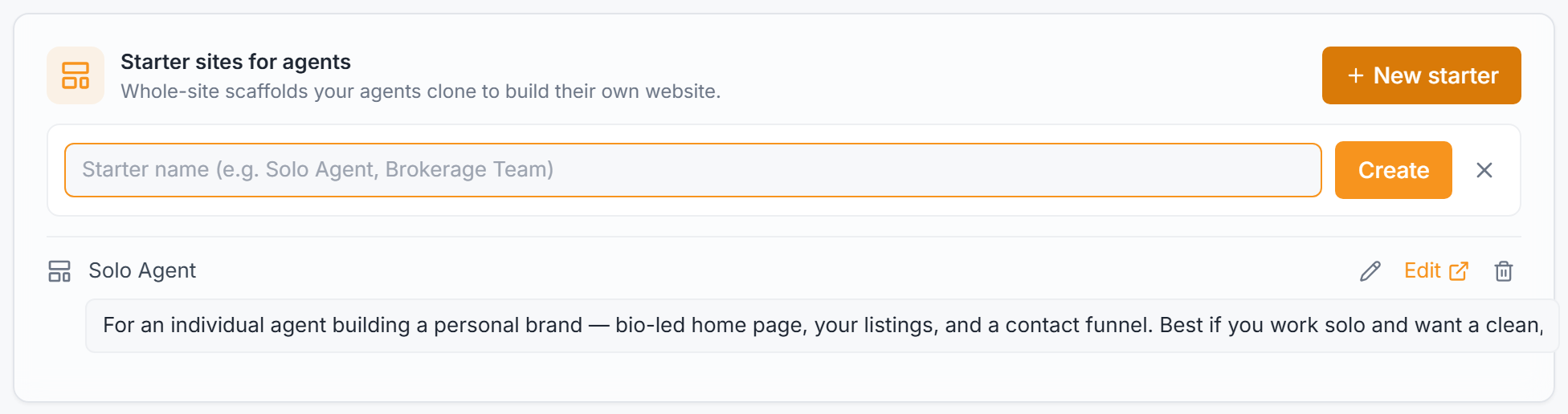
- Scroll to the Starter sites for agents card.
- Click New starter.
- Type a name and press Create. Name it for the kind of agent it's for — for example Solo Agent or Brokerage Team — because agents pick a starter by this name.
The new starter appears in the list with a single Home page, ready to design.
Describe who it's for
Under each starter is a Who is this for? field. Write one plain sentence here — it shows on the card agents see when they choose a template, so it's what sells the starter to the right person.

Good descriptions name the agent and the shape of the site, for example:
> For an individual agent building a personal brand — a bio-led home page, your listings, and a contact funnel. Best if you work solo.
The field saves on its own as soon as you click away. You can change it any time — see Manage your agent starter sites.
Open it in the editor
Click Edit next to the starter to open it in the full-screen website editor. This is the same builder you use for your community site, with two differences: the top bar badges the site Starter, and there's no Publish or Go live button — a starter is a clone source, not a public page, so you build it with Save and the Preview (eye) button only.
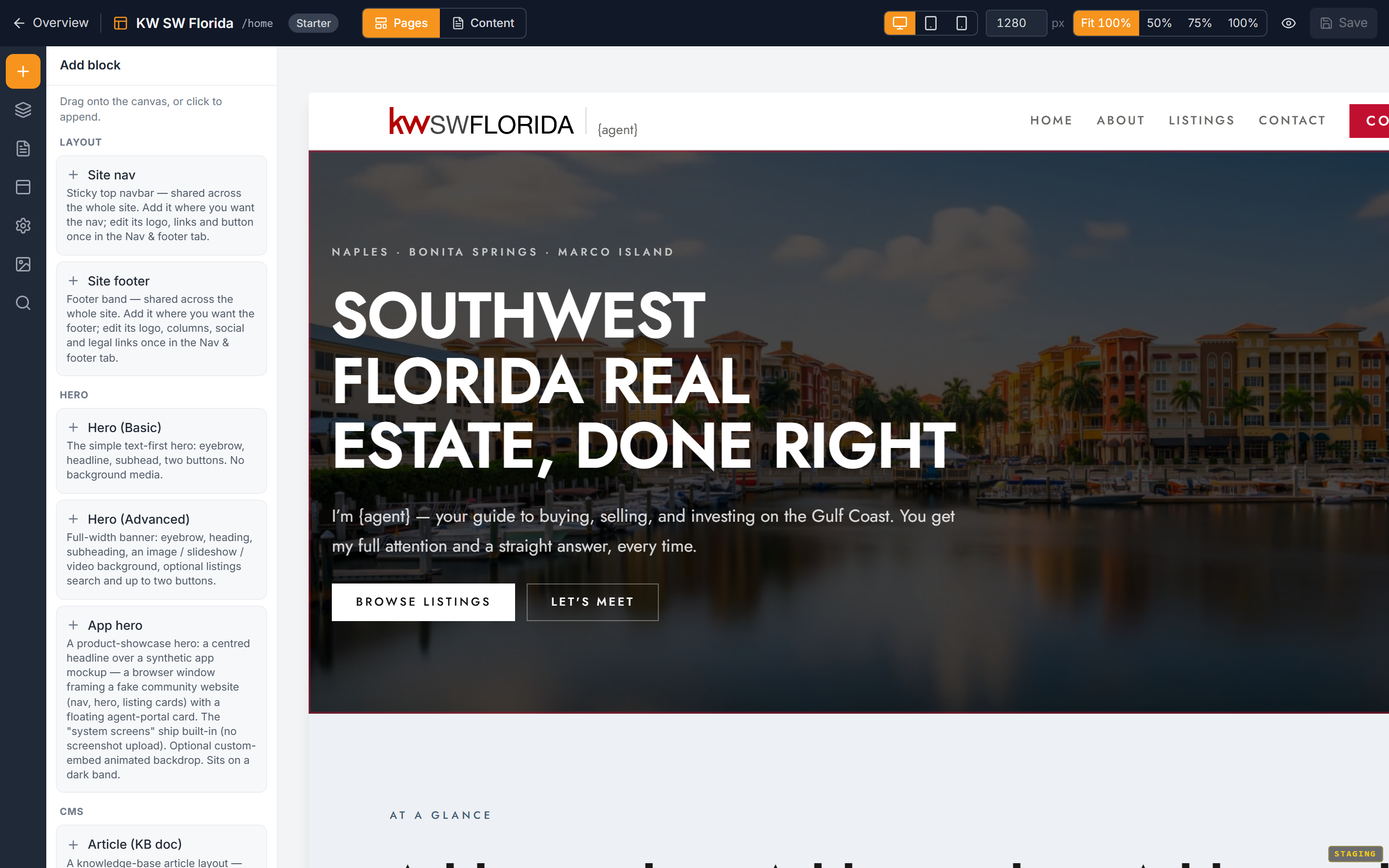
From here you add pages, blocks, navigation, and theme. Walk that in Design a great agent starter site.
What happens next
- Design the starter — Design a great agent starter site.
- Preview it and tidy the roster — Manage your agent starter sites.
- Make sure agents can reach it — confirm the Agent Websites feature is on, then point them at How agents build sites from your starters.
Troubleshooting
I don't see a Starter sites for agents card
It sits on the Website overview in the orange platform panel, below your page list. If your community doesn't have a website yet, create it first (Create your community website) — the starter section lives on the same overview. Also confirm you're signed in as an owner or admin; managers and agents don't see it.
My new starter isn't offered to agents
Two common reasons: the Agent Websites feature isn't turned on for your community yet (a platform-operator setting), or the agent is looking at a different community. A starter is offered to agents in the same community it was created in, once the feature is on.