
Agent starter sites, explained
Your agents can build and publish their own personal website — branded under your community, reachable at a clean public address — without starting from a blank page. They do it by cloning a starter site you've prepared for them. A starter is a whole website you design once (pages, navigation, theme, sample content) that becomes the launch pad for every agent who picks it. This guide explains what starters are and how the pieces fit; the other guides in this section walk each task.
What a starter site is
A starter site is a complete, multi-page website scaffold — home, about, listings, contact, whatever you decide — with its navigation, footer, theme, and brand already set. Think of it as a fully-furnished show home an agent moves into and makes their own.
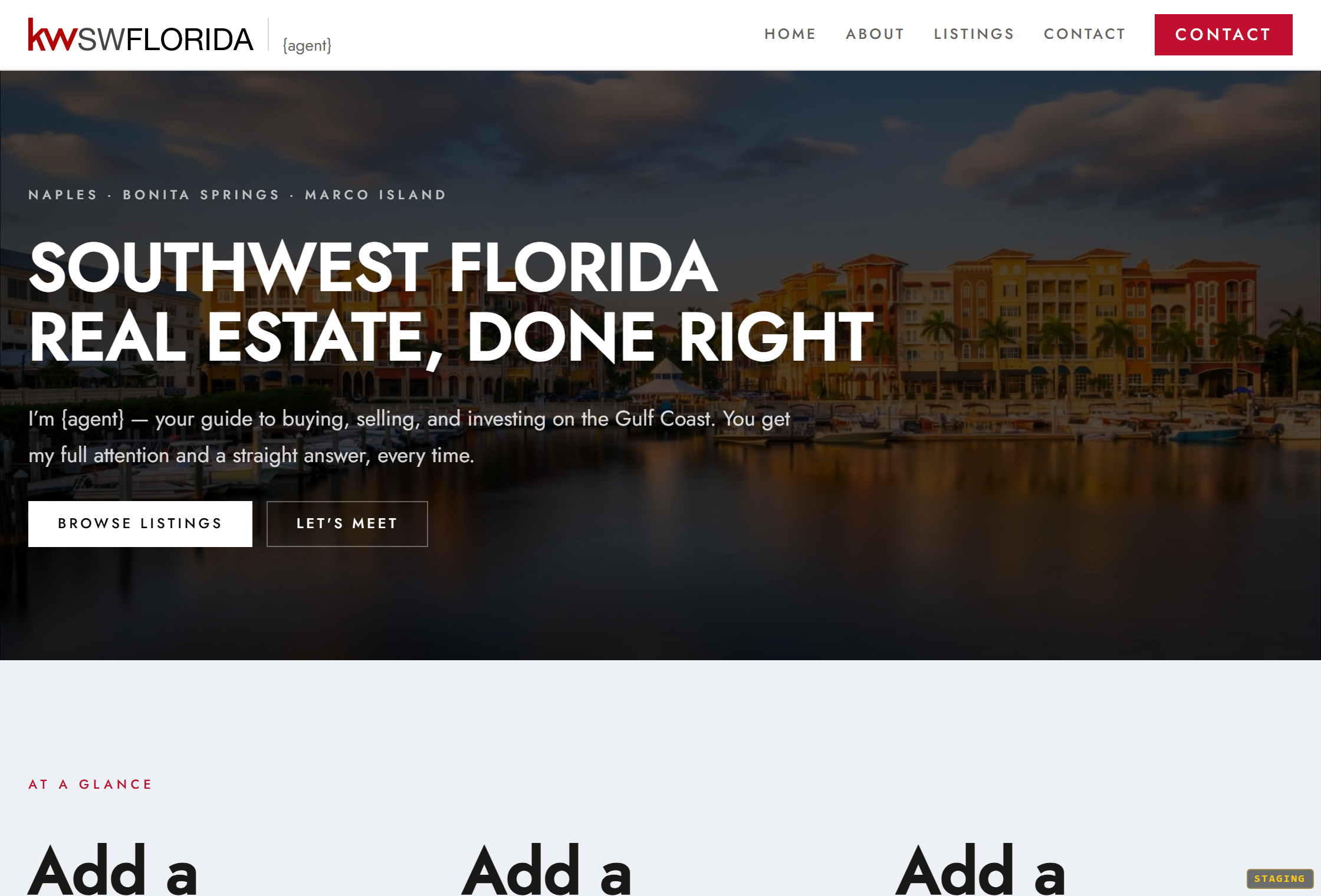
A few things that make starters different from your community's main website:
- It's a clone source, not a public page. A starter is never served to the public. It exists only to be copied. That's why, when you open one in the editor, it's badged Starter instead of Draft/Live and has no Publish or Go live button — there's nothing to publish.
- You can have several. Most communities keep one per agent business type — for example a Solo Agent starter and a Brokerage Team starter — so an agent picks the shape that matches how they work.
- Agents own the copy. When an agent clones a starter, they get an independent site. Your later edits to the starter don't reach sites that were already cloned from it.
How the whole flow fits together
There are two sides to this feature — yours and the agent's.

- You build the starters. In the orange platform panel, under your community's Website area, the Starter sites for agents section is where you create, name, describe, and open each starter. You design it in the same website editor you use for the community site. See Create a starter site for your agents and Design a great agent starter site.
- Agents clone them. From the member portal, an agent opens My Website, picks one of your starters, and clones it into their own site. They keep up to three versions, publish one at a time, and claim a personal handle so their live site lives at `yourcommunity-site.mycommunitysync.com/a/their-handle`. See How agents build sites from your starters.
You prepare the raw material; each agent personalizes and publishes their own copy.
Before agents can use them
Two conditions gate the agent side:
- The Agent Websites feature must be on for your community. This is the switch that puts My Website in your agents' portal and lets them clone and publish. It's a platform-operator setting — if your agents don't see My Website, ask your platform operator to enable Agent Websites. (You can still build and refine starters before it's turned on; agents just can't use them yet.)
- There has to be at least one starter to clone. With no starters created, an agent's picker is empty and they're told to check back. Give them at least one before you announce the feature.
Who can do what
- Community owners and admins create, edit, and delete starter sites, from the orange platform panel.
- Managers and agents can't build starters. Agents use them — cloning into their own personal sites from the member portal.
- Turning the Agent Websites feature on or off is a platform-operator control, not a community setting.
Where to go next
- Create a starter site for your agents — the create-and-name flow.
- Design a great agent starter site — what to put in a starter so it clones well.
- Manage your agent starter sites — rename, describe, preview, and delete.
- How agents build sites from your starters — the agent's side, so you can support them.