
Manage your agent starter sites
Once you have a starter or two, the Starter sites for agents section on your community's Website overview is where you keep them tidy — renaming, describing, previewing, and removing. All of it is inline, right in the list. This guide covers those housekeeping tasks; building the starter itself is Design a great agent starter site.

Rename a starter
The name is what agents pick from, so keep it descriptive.
- In the Starter sites for agents list, click the pencil icon next to the starter's name.
- Type the new name and press Enter (or click away) to save.
Renaming only changes the label in the picker — it doesn't affect sites agents have already cloned.
Edit the "who is this for" blurb
Under each starter's name is the Who is this for? description field. This one-liner appears on the card agents see when they choose a template, so it's your chance to steer the right agent to the right starter.
Click into the field, edit the text, and click away — it saves on blur. Keep it to a sentence that names the agent and the shape of the site, for example "For a solo agent building a personal brand — bio-led home, your listings, a contact funnel."
Preview a starter
To see a starter the way an agent will:
- Click Edit to open it in the editor, then use the Preview (eye) button in the top bar for the real, responsive output.
- Agents themselves get a Live demo link on the starter's picker card, which opens this same preview. So whatever you see in preview is what they'll judge the starter by — walk every page before you announce it.
Delete a starter
If you're retiring a starter, remove it from the list so agents stop cloning it.
- Click the trash icon next to the starter.
- Confirm in the dialog.
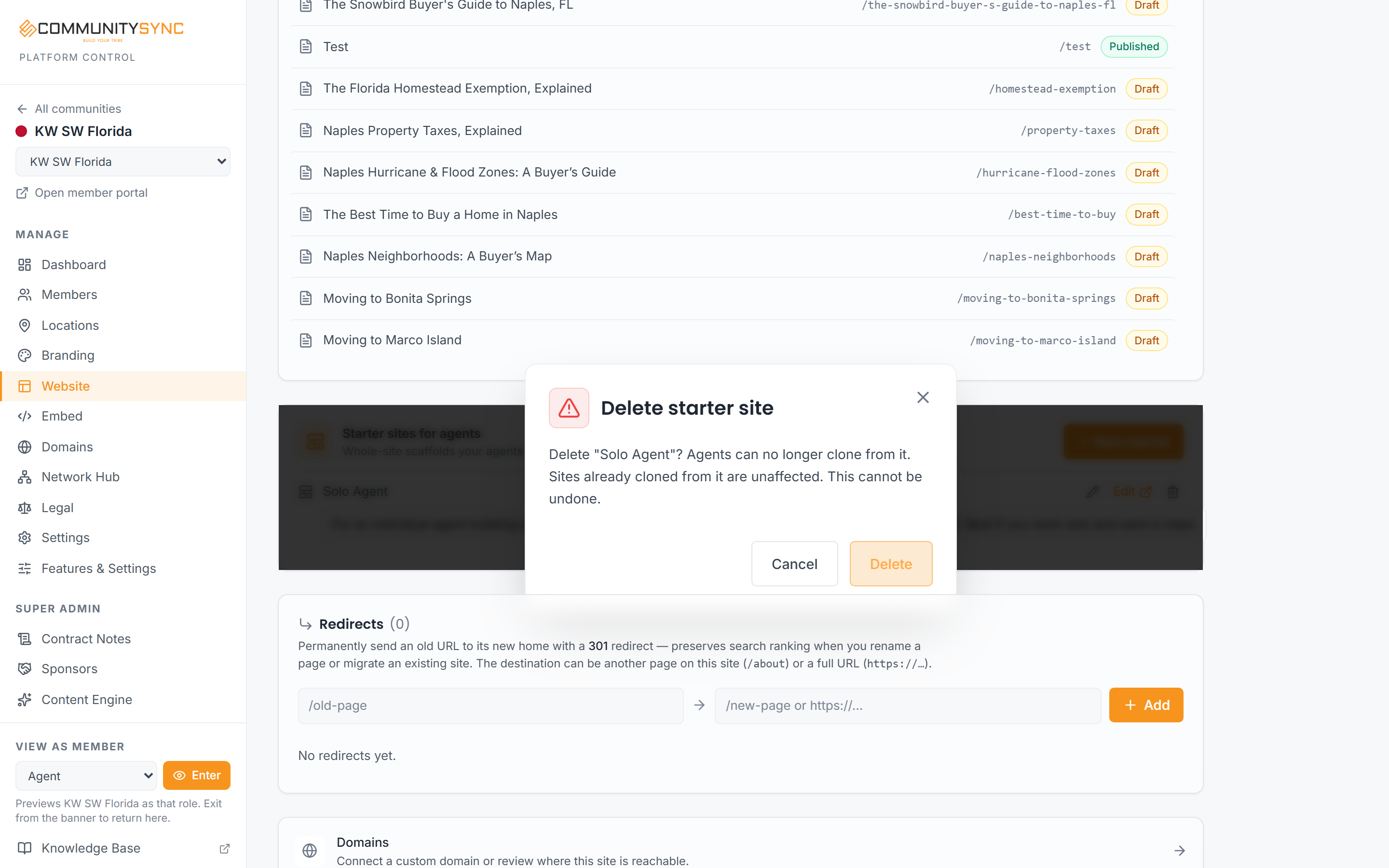
Two things to know before you delete:
- Sites already cloned from it are unaffected. Deleting a starter only removes the clone source. Every agent who already built a site from it keeps their site exactly as it is.
- It can't be undone. A deleted starter is gone — there's no restore for starters (unlike your community website, which snapshots on delete). If you might want it back, rename it out of the way instead, or keep it and just stop promoting it.
Troubleshooting
My renamed starter still shows the old name to an agent
Agents see the current name on the picker, but a site they already cloned carries the name they gave their own site — that's independent of the starter's name and won't change when you rename the starter.
I deleted a starter by mistake
There's no undo for a starter. Rebuild it from scratch — see Create a starter site for your agents. Any agent sites cloned from the deleted starter are untouched and keep working.
An agent says a starter is missing from their picker
If it's still in your list, the likely causes are that the Agent Websites feature isn't on for your community (a platform-operator setting), or the agent is in a different community. Starters are offered only to agents in the community that owns them. See How agents build sites from your starters.